qrkude
qrkude turns text into styled QR codes for the web: SVG markup, canvas
drawings, PNG files, or a <qr-kude> HTML element.
It is the JavaScript/TypeScript package of QRKude, a family
of libraries that read the same style document and produce the same SVG on
every platform.
Status and installation
qrkude is pre-release (version 0.1.0). It is not yet published to
the npm registry, so install it from a clone of this repository.
Build the package once:
REPO=/path/to/your/clone   # the folder of this repository
cd "$REPO/packages/web"
npm install                # installs the build tools (TypeScript, esbuild)
npm run build              # writes dist/
Then add it to your project, either directly from the folder:
cd /path/to/your-project
npm install "$REPO/packages/web"
or as a tarball, which copies the files instead of linking them:
cd "$REPO/packages/web"
npm pack                   # writes qrkude-0.1.0.tgz
cd /path/to/your-project
npm install "$REPO/packages/web/qrkude-0.1.0.tgz"
Installing from the folder creates a link. Run npm run build again after
you pull new changes.
For a web page without a build step, copy dist/qrkude.min.js next to your
HTML file and load it with <script src="qrkude.min.js"></script>. It defines
a global QRKude object and registers the <qr-kude> element.
Once the package is published, the install command will be:
npm install qrkudeQuick start
Save this as qr.mjs in a project where qrkude is installed:
import { writeFileSync } from 'node:fs';
import { svg } from 'qrkude';

writeFileSync('qr.svg', svg('https://example.com'));
Run node qr.mjs. It writes qr.svg, a black-on-white QR code (about 2 KB)
that opens in any browser or vector editor. The SVG has no fixed size: it
fills the space you give it.
The same thing in a web page, with the browser bundle:
<!doctype html>
<meta charset="utf-8">
<div id="qr" style="width: 240px"></div>
<script src="qrkude.min.js"></script>
<script>
  document.getElementById('qr').innerHTML = QRKude.svg('https://example.com');
</script>
New to QR codes? Read the guide.
Styling
A few terms used below (the glossary has more):
- A module is one square cell of the code.
- The eyes (finder patterns) are the three big squares in the corners. Each eye has a 7×7 frame and a 3×3 ball in its center.
- The quiet zone (
margin) is the empty border around the code that scanners need. - ECC (error correction level) is how much damage the code survives:
L(about 7%),M(15%),Q(25%) orH(30%).
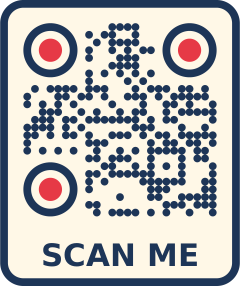
You describe a design with a style document. It is plain JSON and every QRKude port reads it the same way, so a style made here renders identically in Python, C or Flutter:
{
  "encode": { "ecc": "H" },
  "style": {
    "margin": 3,
    "modules": { "shape": "liquid", "color": "#1d3557" },
    "eyes": { "frame": "rounded", "ball": "circle", "ballColor": "#e63946" },
    "background": { "color": "#ffffff", "radius": 3 },
    "label": { "text": "SCAN ME", "color": "#1d3557" }
  },
  "svg": { "width": 512 }
}
The three parts are all optional. encode holds encoding options, style
holds the look, and svg holds SVG output options. Keys you leave out keep
their defaults, and unknown keys are ignored.
Example: brand colors
Pass the document as an object or as JSON text:
import { svg } from 'qrkude';

const markup = svg('https://example.com', {
  style: {
    modules: { shape: 'fluid', color: '#1d3557' },
    eyes: { frame: 'rounded', ball: 'circle', ballColor: '#e63946' },
    background: { color: '#f1faee', radius: 2 },
  },
});
console.log(markup.length > 0);
Example: gradient, logo and label
A logo hides part of the code, so a style with a logo uses the strongest error
correction (H) unless you set encode.ecc yourself.
import { writeFileSync } from 'node:fs';
import { generate } from 'qrkude';

const logo =
  'data:image/svg+xml;utf8,' +
  encodeURIComponent('<svg xmlns="http://www.w3.org/2000/svg" viewBox="0 0 10 10"><circle cx="5" cy="5" r="5" fill="#e63946"/></svg>');

const result = generate('https://example.com/menu', {
  style: {
    modules: {
      shape: 'dot',
      size: 0.9,
      color: {
        type: 'linear',
        angle: 45,
        stops: [
          { offset: 0, color: '#6a11cb' },
          { offset: 1, color: '#2575fc' },
        ],
      },
    },
    eyes: { frame: 'circle', ball: 'circle' },
    logo: { href: logo, size: 0.22, shape: 'circle', background: '#ffffff' },
    label: { text: 'Our menu', position: 'bottom' },
  },
  svg: { width: 400 },
});

writeFileSync('menu.svg', result.svg);
console.log(result.code.ecc, result.lint, result.logoDamage.toFixed(2)); // H [] 0.64
Example: change a style in code
parseStyle turns a document into a typed Style object that you can edit.
In that object colors are numbers (0xRRGGBBAA) and gradients are paint
objects. rgba(), parseColor() and the paint helpers build them:
import { encodeForStyle, linearPaint, parseStyle, rgba, toSvg } from 'qrkude';

const style = parseStyle({ modules: { shape: 'rounded', size: 0.9 } });
style.modules.color = linearPaint(90, rgba(11, 61, 145), rgba(0, 168, 150));
style.eyes.frame = 'leaf';
style.margin = 2;

const code = encodeForStyle('https://example.com', {}, style);
const markup: string = toSvg(code, style);
console.log(code.version, markup.length);
All options
| Group | JSON keys | Reference |
|---|---|---|
| Modules | modules.shape (11 shapes), size, roundness, color |
STYLES.md#modules |
| Eyes | eyes.frame, ball (8 shapes each), frameColor, ballColor |
STYLES.md#eyes |
| Alignment patterns | alignment.frame, ball (the small squares in larger codes) |
STYLES.md#alignment-patterns |
| Colors | "#rgb", "#rrggbb", "#rrggbbaa", "transparent", linear and radial gradients |
STYLES.md#colors-and-gradients |
| Background and border | margin, background.color, radius, border.width, color |
STYLES.md#background-and-border |
| Logo | logo.href, size, margin, shape, excavate, background |
STYLES.md#logo |
| Label | label.text, font, size, color, position, bold |
STYLES.md#label |
| Encoding | encode.ecc, minVersion, maxVersion, mask, boostEcc, eci |
STYLES.md#encoding-options |
| SVG | svg.width, idPrefix |
STYLES.md#svg-options |
A complete document is in STYLES.md#complete-example. Before you change eye shapes, colors or logo sizes, read styling without breaking scanning.
When encode.ecc is absent, the level is H if the style has a logo and
M otherwise. svg(), generate(), encodeForStyle() and <qr-kude> all
apply this rule. Plain encode() does not know the style, so it defaults to
M. With boostEcc (on by default) the level is raised further when that
does not make the code bigger.
Output
| Output | Functions | Runs in |
|---|---|---|
| SVG text | svg(), generate(), toSvg() |
browsers, workers, Node |
<qr-kude> element (inline SVG) |
import 'qrkude/element' or the browser bundle |
browsers |
| Canvas drawing | renderToCanvas() |
browsers, workers (OffscreenCanvas) |
| PNG, JPEG or WebP | toBlob(), toDataURL() |
browsers, workers (OffscreenCanvas) |
| Vector paths for your own renderer | emitLayer(), layerToCanvasPath() |
everywhere |
SVG
SVG is the best format for print and for pages, because it stays sharp at any
size. The output has a viewBox and no fixed size, so it scales to its
container. Set svg.width (in pixels) when the file needs a fixed size; the
height follows the aspect ratio, which is taller when there is a label.
If you put several SVGs with gradients into one HTML page, give each one its
own svg.idPrefix. Gradient ids are shared by the whole page, so two codes
with the same prefix would use each other’s gradients. The <qr-kude>
element does not have this problem because it renders into a shadow root.
A logo given as a URL is loaded by whatever displays the SVG. Some viewers,
and SVGs shown through <img src>, do not load external images, so prefer
data: URIs for logos. Label text uses the fonts of the viewer.
Canvas, PNG, JPEG and WebP
<!doctype html>
<meta charset="utf-8">
<canvas id="qr"></canvas>
<button id="save">Download PNG</button>
<script src="qrkude.min.js"></script>
<script>
  const { encodeForStyle, parseStyle, renderToCanvas, toBlob } = QRKude;
  const style = parseStyle({ modules: { shape: 'fluid' }, eyes: { frame: 'rounded' } });
  const code = encodeForStyle('https://example.com', {}, style);

  // 256 CSS pixels wide, sharp on high-density screens
  renderToCanvas(document.getElementById('qr'), code, style, {
    size: 256,
    pixelRatio: window.devicePixelRatio,
  });

  document.getElementById('save').addEventListener('click', async () => {
    const blob = await toBlob(code, style, { size: 1024 });
    const link = document.createElement('a');
    link.href = URL.createObjectURL(blob);
    link.download = 'qr.png';
    link.click();
  });
</script>
The canvas renderer draws exactly the SVG shapes, gradients and layer order.
It draws the label with fillText, so the font must be available in the page.
renderToCanvas(canvas, …)resizes the canvas. If you pass a 2D context instead, it draws at the origin of the context’s current transform, which lets you place the code inside a larger drawing.renderToCanvasdraws a logo only when you pass the image aslogo. Load it first withawait loadImage(url).toBlobandtoDataURLloadstyle.logo.hrefautomatically. Passlogo: nullto skip it.- A logo from another site must allow cross-origin use (CORS). Otherwise the browser blocks the export.
toBlobandtoDataURLneed a canvas, so they work in browsers and in workers withOffscreenCanvas. In Node, write SVG and convert it with an image tool.
Choosing a pixel size. Each module needs several pixels. The canvas
width in modules is getLayout(code, style).width, which is the modules plus
twice the margin and border. So size / getLayout(code, style).width gives
the pixels per module. A short URL (25 modules + 2 × 4 margin = 33) at 512 px
gives about 15 px per module, which is plenty for screens. For printed codes
see size in print and on screen.
The <qr-kude> element
<!doctype html>
<meta charset="utf-8">
<script src="qrkude.min.js"></script>

<qr-kude value="https://example.com" module-shape="dot" eye-frame="circle"
         eye-ball="circle" color="#1d3557" label="SCAN ME" size="200"></qr-kude>

<qr-kude value="https://example.com"
         config='{"style": {"modules": {"shape": "liquid"}, "background": {"radius": 3}}}'></qr-kude>
With a bundler, use import 'qrkude/element'; instead of the script tag.
Importing it registers the element as qr-kude.
| Attribute | Meaning |
|---|---|
value |
The text to encode. |
config |
A style document as JSON text ({encode, style, svg} or a bare style). |
module-shape, eye-frame, eye-ball |
Shape shortcuts, for example module-shape="fluid". |
color |
Module color: #rgb, #rrggbb or #rrggbbaa. |
background |
Background color, or none for transparent. |
logo |
Logo URL or data: URI. Adds a logo of 20% width if the config has none. |
label |
Label text under the code. |
ecc |
L, M, Q or H. Default: H with a logo, else M. |
margin |
Quiet zone in modules. |
size |
Width in CSS pixels. The default is 256 px; CSS width on the element also works. |
Shortcut attributes override the same settings in config. The element
re-renders whenever an attribute changes. Several changes in a row produce
one render.
| Member | Kind | Meaning |
|---|---|---|
value |
property (read/write) | Same as the attribute. |
config |
property (read/write) | A JSON string (copied to the attribute) or a plain object (kept as a property). |
svg |
property | The SVG of the last render, or "" after an error. |
code |
property | The last QRCode, or null. |
lintFlags |
property | The lint flags of the last render. |
error |
property | The error of the last render, or null. |
render() |
method | Renders immediately. |
document() |
method | The QRDocument built from config and the shortcut attributes. |
qrkude-render |
event | detail: { svg, code, lint, logoDamage }. |
qrkude-error |
event | detail: { error }. The element then shows nothing. |
::part(code) |
CSS part | The container of the SVG. |
Vector paths for other renderers
The SVG writer and the canvas renderer share one shape model. emitLayer
gives you that geometry through four callbacks, so you can draw the same code
into a PDF, a plotter file or WebGL. Coordinates are in modules, with y
pointing down. Every sub-path is closed and the fill rule is non-zero.
import { LAYERS, emitLayer, encode, getLayout, layerPaint, parseStyle } from 'qrkude';

const style = parseStyle({ modules: { shape: 'dot' } });
const code = encode('https://example.com');
const layout = getLayout(code, style);

for (const layer of LAYERS) {
  const commands = [];
  const count = emitLayer(code, style, layer, {
    moveTo: (x, y) => commands.push(['M', x, y]),
    lineTo: (x, y) => commands.push(['L', x, y]),
    // a circular arc of radius r to (x, y) around (cx, cy), at most 90 degrees
    arcTo: (r, clockwise, x, y, cx, cy) => commands.push(['A', r, clockwise, x, y, cx, cy]),
    close: () => commands.push(['Z']),
  });
  console.log(layer, count, 'sub-paths', layerPaint(style, layer).type);
}
console.log('canvas is', layout.width, 'x', layout.height, 'modules');
Content helpers
These functions build the text for common QR code contents. Pass the result
to svg(), generate() or encode():
import { svg, wifi } from 'qrkude';

const markup = svg(wifi('Cafe Guest', 'espresso', 'WPA'));
console.log(markup.startsWith('<svg'));| Function | Example | Result |
|---|---|---|
wifi(ssid, password?, auth?, hidden?) |
wifi('Cafe Guest', 'espresso', 'WPA') |
WIFI:T:WPA;S:Cafe Guest;P:espresso;; |
email(to, subject?, body?) |
email('[email protected]', 'Hello', 'Nice to meet you') |
mailto:[email protected]?subject=Hello&body=Nice%20to%20meet%20you |
sms(number, message?) |
sms('+15551234567', 'On my way') |
SMSTO:+15551234567:On my way |
tel(number) |
tel('+15551234567') |
tel:+15551234567 |
geo(latitude, longitude) |
geo(48.85837, 2.294481) |
geo:48.85837,2.294481 |
vcard(card) |
vcard({ firstName: 'Ada', lastName: 'Lovelace', phone: '+15551234567' }) |
BEGIN:VCARD … END:VCARD (vCard 3.0, lines separated by \n) |
event(details) |
event({ summary: 'Launch party', start: '20261120T180000Z' }) |
BEGIN:VEVENT … END:VEVENT |
Details:
wifi:authis'WPA','WEP','nopass'or omitted. The password is left out for'nopass'. The characters\ ; , : "in the name and password are escaped with a backslash.email: the subject and body are percent-encoded.geo: up to 6 decimals. Latitude is clamped to [-90, 90] and longitude to [-180, 180].vcard: the fields arefirstName,lastName,organization,title,phone,email,url,addressandnote. Empty fields are left out.\ ; ,are escaped and newlines become\n.event: the fields aresummary,start,end,locationanddescription. Times are iCalendar timestamps such as20261120T180000Z(UTC). Escaping is the same as forvcard.
Making sure it scans
Every styling choice costs some readability. generate() returns warnings
(lint flags) and the logo damage together. You can also call lint(code, style) and logoDamage(code, style) yourself:
import { LINT_MESSAGES, generate } from 'qrkude';

const result = generate('https://example.com', {
  style: { modules: { color: '#9e9e9e' }, margin: 1 },
});
for (const flag of result.lint) console.log(flag, '-', LINT_MESSAGES[flag]);
// low-contrast - Foreground and background colors are too similar ...
// quiet-zone - The margin is below 2 modules ...| Flag | Meaning | What to do |
|---|---|---|
logo-risky |
The logo hides 70–100% of what error correction can repair. | Make the logo smaller, reduce logo.margin, or use ECC H. |
logo-unreadable |
The logo hides more than error correction can repair. The code will not scan. | Same as above; this one must be fixed. |
low-contrast |
Foreground and background are too similar (contrast below 3:1). | Darken the modules or lighten the background. |
inverted |
Light modules on a dark background. | Many scanners fail; use dark on light if you can. |
transparent-background |
No visible background. | Place the code on a light, plain surface. |
quiet-zone |
margin is below 2 modules. |
Use a margin of 4 (or at least 2). |
small-modules |
Module size below 0.6 (for the shapes that use size: square, dot, rounded, diamond, star, hbars, vbars). |
Increase modules.size. |
eye-shapes |
A diamond frame, or a diamond ball in a square or leaf frame. | Use another eye combination. |
invisible |
The modules or the eyes have no visible color. | Give them a color with alpha above 0. |
Logo damage is a number. 0 means there is no logo. Up to about 0.7 leaves a safety margin. Between 0.7 and 1 the code is fragile. Above 1 it cannot be decoded. The number is the share of the worst error-correction block’s repair capacity that the logo area hides. See logos for how size, clear space and ECC interact.
These checks catch common mistakes but do not replace a real test. Scan the final code with a few phones, in print size and in real light; see testing your codes and troubleshooting.
Untrusted styles
Styles often come from forms, databases or URLs, and the SVG usually ends up
inside a page. qrkude is built for that:
- No markup injection. The logo URL, font and label text are XML-escaped
(
& < > "), and control characters other than tab, LF and CR are dropped.svg.idPrefixis reduced to[A-Za-z0-9_-](sanitizeIdPrefix). Values that are not strings are converted withString()first, so a hand-builtStylecannot inject markup either. - Bounded work. The JSON reader rejects documents that could make it slow, as listed below.
- Clamped sizes.
margin,border.widthandlogo.marginare clamped to [0, 1000], andlabel.sizeto [0.1, 1000].NaNbecomes the lower bound. - Defined errors. Bad styles and text fail with a
QRKudeError, never with a hang. Canvas helpers can also reject with a plainError, for example when a logo image cannot be loaded.
| Reader rule | Result |
|---|---|
| A number written with more than 400 characters | parse error |
A number that is not finite, such as 1e999 (anywhere, unknown keys included) |
parse error |
| Objects and arrays nested deeper than 64 levels | parse error |
minVersion, maxVersion, mask |
clamped to [-1000, 1000], then truncated toward zero |
| A string containing U+0000 | ends there ("ab\u0000cd" reads as "ab") |
A lone surrogate escape such as "\ud800" |
becomes U+FFFD |
A repeated key, such as two modules objects |
applied in order: objects merge, other values replace |
"logo": null, "label": null, "alignment": null |
turns the feature off and resets it to its defaults |
| Plain JavaScript objects | the same rules; cyclic objects are rejected by the depth limit |
Text longer than 7089 characters passed to encode |
data too long, before any per-byte work |
error.kind |
error.code |
When |
|---|---|---|
'parse error' |
'parse' |
The style document is malformed or breaks a reader rule. |
'invalid argument' |
'invalid-argument' |
Encoding options are out of range, such as minVersion: 0. This is raised by the encoding step, not by parseDocument. |
'data too long' |
'data-too-long' |
The text does not fit in a QR code with the given options. |
import { QRKudeError, svg } from 'qrkude';

const userInput = '{"style": {"margin": 1e999}}';
try {
  svg('https://example.com', userInput);
} catch (error) {
  if (!(error instanceof QRKudeError)) throw error;
  console.log(error.kind); // 'parse error'
}
Two things the library does not decide for you:
- Logo URLs.
logo.hrefcan point anywhere. A viewer that displays the SVG loads that URL, andtoBlob()andtoDataURL()fetch it. If users supply styles, accept onlydata:URIs or your own domain. - Content. The encoded text is whatever you pass in. Validate URLs before you put them in a QR code.
API reference
All symbols come from qrkude unless noted. Types are TypeScript.
Encoding
| Symbol | Signature | Description |
|---|---|---|
encode |
(data: string | Uint8Array | ArrayLike<number>, options?: EncodeOptions) => QRCode |
Encodes a string (as UTF-8) or bytes. Picks numeric, alphanumeric or byte mode. Default ECC M. |
encodeForStyle |
(data: string | Uint8Array | ArrayLike<number>, options: EncodeOptions | null | undefined, style: Style) => QRCode |
encode with the style’s ECC default (H with a logo, else M) when options.ecc is absent. |
EncodeOptions |
{ ecc?: Ecc; minVersion?: number; maxVersion?: number; mask?: number; boostEcc?: boolean; eci?: boolean } |
Defaults: M, 1, 40, -1 (automatic), true, false. Version and mask values must be integers. |
QRCode |
class { version; size; ecc: Ecc; mask; mode: Mode; modules: Uint8Array; isDark(x, y): boolean; toMatrix(): boolean[][] } |
An encoded symbol. size is 4 * version + 17. modules is row-major, 1 = dark. Created by encode. |
Ecc |
'L' | 'M' | 'Q' | 'H' |
Error correction level. |
ECC_LEVELS |
readonly Ecc[] |
['L', 'M', 'Q', 'H']. |
Mode |
'numeric' | 'alphanumeric' | 'byte' |
Data mode of the payload. |
utf8 |
(text: string) => Uint8Array |
UTF-8 bytes of a string. Lone surrogates become U+FFFD. |
alignmentPositions |
(version: number) => number[] |
Alignment pattern center coordinates of a version (empty for version 1). |
Style documents
| Symbol | Signature | Description |
|---|---|---|
parseDocument |
(input: DocumentInput | null | undefined) => QRDocument |
Reads {encode, style, svg} or a bare style. encode only contains the keys that were present. Throws QRKudeError ('parse error'). |
parseStyle |
(input: DocumentInput | null | undefined) => Style |
The style part of parseDocument. |
styleToJson |
(style: Style) => Record<string, unknown> |
Converts a Style back to its JSON form. parseStyle reads it back unchanged. |
defaultStyle |
() => Style |
A new default style: black squares on white, margin 4. |
cloneStyle |
(style: Style) => Style |
A deep copy. |
recommendedEcc |
(style: Style) => Ecc |
'H' when the style has a logo, else 'M'. |
DocumentInput |
string | Record<string, unknown> | JsonObject |
JSON text or a plain object. JsonObject is the reader’s internal value type. |
QRDocument |
{ encode: EncodeOptions; style: Style; svg: SvgOptions } |
A parsed document. |
Style |
interface (fields below) | A fully resolved style. Colors are numbers; paints are objects. |
SvgOptions |
{ width?: number; idPrefix?: string | null } |
width in px (0 = no width/height attributes); gradient id prefix (default qrk). |
ModuleShape |
'square' | 'dot' | 'rounded' | 'diamond' | 'star' | 'fluid' | 'liquid' | 'bevel' | 'classy' | 'hbars' | 'vbars' |
Module shapes. |
EyeShape |
'square' | 'rounded' | 'circle' | 'leaf' | 'drop' | 'bevel' | 'diamond' | 'dots' |
Eye frame and ball shapes. |
LogoShape |
'square' | 'rounded' | 'circle' |
Shape of the cleared logo area. |
LabelPosition |
'bottom' | 'top' |
Label position. |
MODULE_SHAPES, EYE_SHAPES, LOGO_SHAPES |
readonly arrays |
All values of the three shape types, in reference order. |
Style fields (the JSON keys are the same; JSON colors are strings):
| Field | Type | Default |
|---|---|---|
margin |
number |
4 |
modules |
{ shape: ModuleShape; size: number; roundness: number; color: Paint } |
square, 1, 1, black |
eyes |
{ frame: EyeShape; ball: EyeShape; frameColor: Paint; ballColor: Paint } |
square, square, none, none (none = same as modules) |
alignment |
{ frame: EyeShape | null; ball: EyeShape | null } |
null, null (drawn as plain modules) |
background |
{ color: Paint; radius: number } |
white, 0 |
border |
{ width: number; color: Color } |
0, black |
logo |
{ size: number; margin: number; shape: LogoShape; excavate: boolean; background: Color; href: string | null } |
0 (no logo), 1, square, true, transparent, null |
label |
{ text: string | null; font: string | null; size: number; color: Color; position: LabelPosition; bold: boolean } |
null (no label), 'sans-serif', 4, black, bottom, true |
Colors and paints
| Symbol | Signature | Description |
|---|---|---|
Color |
number |
A color as unsigned 0xRRGGBBAA. |
rgba |
(r: number, g: number, b: number, a?: number) => Color |
Builds a color from 0–255 channels (alpha defaults to 255). |
parseColor |
(str: string) => Color | null |
Reads #rgb, #rrggbb, #rrggbbaa or transparent. null if invalid. |
formatColor |
(c: Color) => string |
#rrggbb, or #rrggbbaa when not opaque. |
colorHex |
(c: Color) => string |
#rrggbb (alpha dropped). |
colorAlpha |
(c: Color) => number |
The alpha channel, 0–255. |
cssColor |
(c: Color) => string |
A CSS rgba(…) string. |
TRANSPARENT |
Color |
0. |
Paint |
NonePaint | SolidPaint | GradientPaint |
How a layer is filled. |
NonePaint |
{ type: 'none' } |
Nothing (or “same as modules” for eye paints). |
SolidPaint |
{ type: 'solid'; color: Color } |
One color. |
GradientPaint |
{ type: 'linear' | 'radial'; angle: number; cx: number; cy: number; r: number; stops: GradientStop[] } |
angle in degrees (0 = left to right, 90 = top to bottom); cx, cy, r relative to the painted area. At most 8 stops are used. |
GradientStop |
{ offset: number; color: Color } |
offset from 0 to 1. |
solidPaint |
(color: Color) => SolidPaint |
A solid paint. |
linearPaint |
(angle: number, from: Color, to: Color) => GradientPaint |
A two-stop linear gradient. |
radialPaint |
(center: Color, edge: Color) => GradientPaint |
A two-stop radial gradient. |
isGradient |
(p: Paint) => p is GradientPaint |
True for linear and radial paints. |
SVG output
| Symbol | Signature | Description |
|---|---|---|
svg |
(text: string | Uint8Array, doc?: DocumentInput | QRDocument | null) => string |
Encodes with the document’s options (ECC default rule) and returns the SVG. |
generate |
(text: string | Uint8Array, doc?: DocumentInput | QRDocument | null) => Generated |
Like svg, plus the code, style, lint flags and logo damage. |
Generated |
{ code: QRCode; style: Style; svgOptions: SvgOptions; svg: string; lint: LintFlag[]; logoDamage: number } |
Result of generate. |
toSvg |
(code: QRCode, style: Style, options?: SvgOptions) => string |
The SVG document of a code (SPEC section 8). |
sanitizeIdPrefix |
(prefix: string | null | undefined) => string |
The id prefix as written: bytes outside [A-Za-z0-9_-] become _, a leading digit or - gets q, empty becomes qrk. |
escapeXml |
(value: string) => string |
Escapes & < > " and drops control characters other than tab, LF, CR. |
formatNumber |
(value: number) => string |
The shared number format: at most 3 decimals, half up; NaN and |v| ≥ 1e15 give "0". |
SvgPathWriter |
class implements PathSink { toString(): string } |
A path sink that writes SVG path data. |
Canvas and images
| Symbol | Signature | Description |
|---|---|---|
renderToCanvas |
(target: CanvasLike | Canvas2DContext, code: QRCode, style: Style, options?: CanvasRenderOptions) => CanvasRenderResult |
Draws the code. A canvas target is resized; a context target is drawn at the origin of its transform. |
CanvasRenderOptions |
{ size?: number; logo?: CanvasImage | null; pixelRatio?: number; label?: boolean } |
size: width in CSS px (default: current canvas width). pixelRatio: backing-store scale (default 1). label: draw the label (default true). |
CanvasRenderResult |
{ width: number; height: number; scale: number } |
CSS size of the drawing and device pixels per module. |
toBlob |
(code: QRCode, style: Style, options?: ImageExportOptions) => Promise<Blob> |
Renders to a new canvas and returns an image. |
toDataURL |
(code: QRCode, style: Style, options?: ImageExportOptions) => Promise<string> |
Same, as a data: URL. |
ImageExportOptions |
CanvasRenderOptions & { type?: string; quality?: number } |
type defaults to 'image/png', size to 512. logo defaults to loading style.logo.href; pass null to skip. |
loadImage |
(src: string) => Promise<CanvasImage> |
Loads an image for use as a canvas logo. Requests other than data: and blob: URLs use crossOrigin = 'anonymous'. |
layerToCanvasPath |
(target: CanvasPathTarget, code: QRCode, style: Style, layer: Layer) => number |
Adds a layer’s geometry to a Path2D or a context. Returns the number of sub-paths. |
CanvasPathSink |
class implements PathSink { constructor(target: CanvasPathTarget) } |
The path sink behind layerToCanvasPath. |
CanvasLike |
{ width: number; height: number; getContext(contextId: '2d'): unknown } |
An HTMLCanvasElement or OffscreenCanvas. |
Canvas2DContext |
interface | The subset of CanvasRenderingContext2D the renderer uses. |
CanvasPathTarget |
{ moveTo; lineTo; arc; closePath } |
The path part of Path2D or a 2D context. |
CanvasGradientLike |
{ addColorStop(offset: number, color: string): void } |
A canvas gradient. |
CanvasImage |
any |
Anything drawImage accepts. |
Geometry and layout
| Symbol | Signature | Description |
|---|---|---|
emitLayer |
(code: QRCode, style: Style, layer: Layer, sink?: PathSink | null) => number |
Sends a layer’s geometry to a sink. Returns the number of sub-paths; pass no sink to only count. |
PathSink |
{ moveTo(x, y); lineTo(x, y); arcTo(r, clockwise, x, y, cx, cy); close() } |
Receives geometry in modules, y down. Arcs never exceed 90 degrees. |
Layer |
'background' | 'border' | 'modules' | 'eyeFrames' | 'eyeBalls' | 'logoBackground' |
Drawing layers. |
LAYERS |
readonly Layer[] |
All layers in painting order. |
getLayout |
(code: QRCode, style: Style) => Layout |
Canvas size, symbol origin, logo box and label anchor, in modules. |
Layout |
{ width; height; symbolX; symbolY; modules; hasLogo; logoX; logoY; logoSize; hasLabel; labelX; labelBaseline; labelSize } |
Result of getLayout. |
layerPaint |
(style: Style, layer: Layer) => Paint |
The paint a layer uses (eye paints resolved; border and logo background as solid paints). |
layerVisible |
(code: QRCode, style: Style, layer: Layer) => boolean |
Whether a layer paints anything: a color with alpha above 0, plus border width > 0, a logo, or at least one module. |
gradientGeometry |
(code: QRCode, style: Style, layer: Layer) => GradientGeometry |
Gradient coordinates of a layer’s paint, as written to the SVG. |
GradientGeometry |
{ x1; y1; x2; y2; cx; cy; r } |
Linear end points and radial center and radius, in modules. |
ballShape |
(shape: EyeShape | null | undefined) => EyeShape |
The ball shape actually drawn: dots becomes circle, invalid becomes square. |
MAX_LENGTH |
1000 |
Upper bound of margin, border width, logo margin and label size. |
Checks
| Symbol | Signature | Description |
|---|---|---|
lint |
(code: QRCode, style: Style) => LintFlag[] |
Scannability warnings, in the order of LINT_FLAGS. |
LintFlag |
union of the LINT_FLAGS values |
One warning. |
LINT_FLAGS |
readonly ['logo-risky', 'logo-unreadable', 'low-contrast', 'inverted', 'transparent-background', 'quiet-zone', 'small-modules', 'eye-shapes', 'invisible'] |
All flags. |
LINT_MESSAGES |
Record<LintFlag, string> |
One English sentence per flag. |
logoDamage |
(code: QRCode, style: Style) => number |
Worst-case share of a block’s repair capacity hidden by the logo area. 0 without logo; above 1 the code cannot be decoded. |
Content helpers
| Symbol | Signature |
|---|---|
wifi |
(ssid: string, password?: string | null, auth?: string | null, hidden?: boolean) => string |
email |
(to: string, subject?: string | null, body?: string | null) => string |
sms |
(number: string, message?: string | null) => string |
tel |
(number: string) => string |
geo |
(latitude: number, longitude: number) => string |
vcard |
(card: VCard) => string |
VCard |
{ firstName?; lastName?; organization?; title?; phone?; email?; url?; address?; note? } (each string | null | undefined) |
event |
(e: CalendarEvent) => string |
CalendarEvent |
{ summary?; start?; end?; location?; description? } (each string | null | undefined) |
Errors and constants
| Symbol | Signature | Description |
|---|---|---|
QRKudeError |
class extends Error { code: QRKudeErrorCode; kind: QRKudeErrorKind } |
Thrown for malformed documents, invalid options and text that does not fit. |
QRKudeErrorKind |
'parse error' | 'invalid argument' | 'data too long' |
Error kinds shared by all QRKude ports. |
QRKudeErrorCode |
'parse' | 'invalid-argument' | 'data-too-long' |
The same kinds as identifiers. |
VERSION |
'0.1.0' |
Package version. |
Web component (qrkude/element)
| Symbol | Signature | Description |
|---|---|---|
QRKudeElement |
class extends HTMLElement |
The <qr-kude> element. Its attributes, properties and events are listed under Output. |
defineQRKudeElement |
(name?: string) => void |
Registers the element under another tag name (default qr-kude). Calling it twice is safe. |
QRKudeRenderDetail |
{ svg: string; code: QRCode; lint: LintFlag[]; logoDamage: number } |
detail of the qrkude-render event. |
Importing qrkude/element registers qr-kude as a side effect, when
customElements exists. The browser bundle dist/qrkude.min.js exposes
everything above, including the element exports, as window.QRKude.
Platform notes
-
Runtimes. The code is ES2019 and has no runtime dependencies.
- Node 16 or later.
- Browsers with ES2019 support. The element also needs Custom Elements and Shadow DOM.
- Canvas output needs the Canvas 2D API.
Path2Dis used when available. - Tests run on Node 22. The canvas output and the element are also checked in Chromium.
-
Formats. ESM (
dist/index.mjs), CommonJS (dist/index.cjs), type declarations for both, and the browser bundledist/qrkude.min.js. The bundle is about 47 KB, or 18 KB gzipped, including the element. -
Speed. Measured on a desktop with Node 22: a typical URL encodes and renders to SVG in under 1 ms. The largest code (version 40, 177×177 modules) takes about 20 ms with square modules and 50 ms with
liquid. -
Output size. A short URL gives about 2 KB of SVG. Size grows with the version and the shape. Square modules merge into rows; round shapes need a path per module.
- A 200-character URL (version 11): about 16 KB with squares, 100 KB with
liquid. - The largest code (version 40): 140 KB with squares, 1.1 MB with
liquid, 1.5 MB withdot.
Use canvas or PNG output when file size matters.
- A 200-character URL (version 11): about 16 KB with squares, 100 KB with
-
Same output everywhere. For the same text and style, the SVG is byte-for-byte identical to the other QRKude ports. Shared conformance vectors check this.
-
Limitations.
- The whole text is encoded as one segment: numeric, alphanumeric or byte. Mixed content is not split into segments, so some codes are a version larger than the smallest possible. There is no Kanji mode.
- Labels use the fonts of the SVG viewer or of the page (canvas).
toBlobandtoDataURLneed a canvas: browsers or workers withOffscreenCanvas, not plain Node.
Development
From packages/web in a clone of this repository:
npm install           # TypeScript and esbuild (the only dev dependencies)
npm run build         # type check, then write dist/
npm test              # build, then run all node:test suites
npm run typecheck     # type check only
npm run build:demo    # writes demo/dist/playground.html
npm test reproduces every conformance vector in
spec/vectors byte for byte. It also checks that the
canvas geometry equals the SVG geometry and covers the API, the CommonJS
build and the browser bundle. The normative rules for all ports are in
SPEC.md.
The decode check renders a set of styles and reads them back with a real
decoder. It needs Python with cairosvg, zxing-cpp and pillow:
npm run decode-check -- --python /path/to/python --out /tmp/qrkude-decodeThe folder layout:
| Path | Contents |
|---|---|
src/ |
The library (TypeScript). |
test/ |
node:test suites (vectors, canvas geometry, API). |
scripts/ |
Build, demo build and decode check. |
demo/index.html |
The playground: a style designer that uses the browser bundle. |
License
Apache-2.0. See LICENSE.
This page is packages/web/README.md in the QRKude repository.