qrkude_flutter
qrkude_flutter draws styled QR codes in Flutter apps: a ready-made widget,
a CustomPainter you can use anywhere, and PNG export. It is the Flutter
package of QRKude, a family of libraries that produce the same QR codes from
the same style on every platform; it is built on the pure Dart package
qrkude.
Status and installation
This is a pre-release (version 0.1.0). It is not on pub.dev yet, so you
install it from a copy of the QRKude repository. The package lives in
packages/flutter and uses the Dart package in packages/dart through a
relative path, so keep the repository folders as they are.
It needs Flutter 3.22 or newer (Dart 3.4 or newer); it is tested with Flutter 3.44. It has no plugins and no platform code.
-
Get a copy of the QRKude repository on your machine.
-
In your app, add a path dependency that points to
packages/flutter:flutter pub add qrkude_flutter --path /path/to/qrkude/packages/flutterThis adds the following to your
pubspec.yaml(you can also write it by hand and runflutter pub get):dependencies: qrkude_flutter: path: /path/to/qrkude/packages/flutter
package:qrkude_flutter/qrkude_flutter.dart also exports everything from
qrkude, so one import is enough.
Once the packages are published, the dependency will simply be
flutter pub add qrkude_flutter.
Quick start
Replace lib/main.dart of a new Flutter app (flutter create my_app) with
this and run it:
import 'package:flutter/material.dart';
import 'package:qrkude_flutter/qrkude_flutter.dart';

void main() {
  runApp(const MaterialApp(
    home: Scaffold(
      body: Center(
        child: QRKudeView(data: 'https://example.com', size: 240),
      ),
    ),
  ));
}
It shows a classic black-on-white QR code, 240 logical pixels wide, in the middle of the screen. Point a phone camera at it to open the address.
New to QR codes? Read the guide.
Styling
A style describes how the code looks. Pass it to QRKudeView.style as Dart
objects (QRKudeStyle) or as the JSON form that every QRKude library
shares (a Map or a JSON String).
A few words used below (see the glossary):
- Module: one cell of the QR grid, dark or light.
- Eyes: the three big squares in the corners. Each has a frame (the ring) and a ball (the center). Scanners look for them first.
- Quiet zone: the empty margin around the code (
margin, in modules).
Colors in styles are ints in 0xRRGGBBAA order (red, green, blue, then
opacity). This is not the order of Flutter’s Color (0xAARRGGBB);
qrkudeColorToColor converts.
Dart objects
import 'package:flutter/material.dart';
import 'package:qrkude_flutter/qrkude_flutter.dart';

void main() => runApp(const MaterialApp(home: Scaffold(body: Center(child: DotsCode()))));

class DotsCode extends StatelessWidget {
  const DotsCode({super.key});

  static const style = QRKudeStyle(
    modules: QRKudeModules(shape: ModuleShape.dot, size: 0.9, color: QRKudeSolid(0x1D3557FF)),
    eyes: QRKudeEyes(frame: EyeShape.rounded, ball: EyeShape.circle, frameColor: QRKudeSolid(0xE63946FF)),
  );

  @override
  Widget build(BuildContext context) {
    return const QRKudeView(data: 'https://example.com', style: style, size: 200);
  }
}
Round dark blue dots with rounded red eye frames.
JSON
The same JSON a web page or a server stores works here. It can be a bare
style or a document with encode, style and svg parts (the widget uses
encode and style; svg only matters for SVG output):
import 'package:flutter/material.dart';
import 'package:qrkude_flutter/qrkude_flutter.dart';

const savedStyle = {
  'margin': 2,
  'modules': {
    'shape': 'liquid',
    'color': {
      'type': 'linear',
      'angle': 45,
      'stops': [
        {'offset': 0, 'color': '#6a11cb'},
        {'offset': 1, 'color': '#2575fc'},
      ],
    },
  },
  'eyes': {'frame': 'rounded', 'ball': 'circle'},
  'background': {'color': '#ffffff', 'radius': 3},
  'border': {'width': 1, 'color': '#1d3557'},
  'label': {'text': 'SCAN ME', 'color': '#1d3557'},
};

void main() {
  runApp(const MaterialApp(
    home: Scaffold(
      body: Center(child: QRKudeView(data: 'https://example.com', style: savedStyle, size: 260)),
    ),
  ));
}
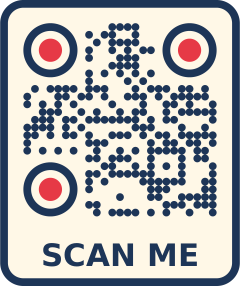
Smooth “liquid” modules with a purple-to-blue gradient, a dark blue frame with rounded corners and “SCAN ME” under the code. The label makes the widget taller than wide.
A logo
logo takes any ImageProvider (an asset, a network image, bytes). The
image is fitted, centered, into the logo box. With a logo the error
correction level defaults to H, the highest, so that the code still scans
with its middle covered. If the style has no logo section, a default one
(20% of the symbol width) is added:
import 'package:flutter/material.dart';
import 'package:qrkude_flutter/qrkude_flutter.dart';

class LogoCode extends StatelessWidget {
  const LogoCode({super.key});

  @override
  Widget build(BuildContext context) {
    return const QRKudeView(
      data: 'https://example.com/menu',
      size: 240,
      logo: AssetImage('assets/logo.png'), // declared under flutter/assets in pubspec.yaml
      style: QRKudeStyle(
        modules: QRKudeModules(shape: ModuleShape.fluid),
        eyes: QRKudeEyes(frame: EyeShape.rounded, ball: EyeShape.rounded),
        logo: QRKudeLogo(size: 0.22, shape: LogoShape.circle, background: QRKudeColor.white),
      ),
    );
  }
}
The image loads asynchronously; the code is drawn right away and the logo
appears when it is ready. The style’s logo.href is only used for SVG
output.
Every option, with pictures, is in the style reference: modules, eyes, alignment patterns, colors and gradients, background and border, logo, label and encoding options. Values out of range are clamped, so a style never makes drawing fail.
Output
The widget
QRKudeView encodes data, draws it and exposes it to screen readers as an
image (label: semanticsLabel, default “QR code”).
sizeis the width in logical pixels; the height follows the shape of the canvas (square, or taller with a label). Withoutsizethe widget is as wide as its parent allows, so the parent must give it a bounded width (in aRow, wrap it inExpanded).- If the data does not fit in a QR code, or a JSON style is invalid,
errorBuilderis shown instead (default: an empty box). encodeOptionsoverrides the encoder options (error correction level, version range, mask).
The code is encoded again only when data or the encoder options change,
and the drawing (Flutter Paths and Paints) is cached per code and style,
so rebuilding the widget or resizing it is cheap.
The painter
QRKudePainter is the CustomPainter behind the widget. Use it in your own
CustomPaint, or to export images. It draws the whole canvas scaled to fit
the paint area and centered.
import 'dart:io';

import 'package:flutter/material.dart';
import 'package:qrkude_flutter/qrkude_flutter.dart';

final painter = QRKudePainter.fromData(
  'https://example.com',
  style: const QRKudeStyle(modules: QRKudeModules(shape: ModuleShape.rounded, roundness: 0.5)),
);

/// The painter inside any layout.
Widget framedCode() => SizedBox.square(dimension: 180, child: CustomPaint(painter: painter));

/// The same code as a 1024 px PNG file (dart:io is not available on the
/// web; there, hand the bytes to a download or share API instead).
Future<void> savePng(String path) async {
  final bytes = await painter.toPngBytes(1024);
  await File(path).writeAsBytes(bytes);
}

void main() => runApp(MaterialApp(home: Scaffold(body: Center(child: framedCode()))));
qrkudeToPngBytes(data, style: ..., width: ...) does the same in one call.
toImage(width) returns a ui.Image and toPicture(width) a ui.Picture.
The logo must be a decoded ui.Image here (the logo parameter of the
painter).
Resolution
- On screen, give each module at least 3 to 4 physical pixels. For example, a short URL gives a version 2 code: 25 modules plus a 4-module quiet zone on each side, 33 modules in total. Drawn 132 logical pixels wide, each module is 4 logical pixels (8 to 12 physical pixels on most phones).
- For PNG export, pick the width for the final use: 512 px is enough for a screen, use 1024 px or more for print. Exports are limited to 16384 px per side.
- For print, the SVG from
toSvg(inqrkude) has no fixed resolution and is usually the better choice.
See size in print and on screen.
Content helpers
A QR code holds text. Phones recognize some formats and offer an action
(join a Wi-Fi network, add a contact…). QRKudePayload builds them:
import 'package:flutter/material.dart';
import 'package:qrkude_flutter/qrkude_flutter.dart';

void main() {
  final wifi = QRKudePayload.wifi(ssid: 'Cafe', password: 'secret', auth: 'WPA');
  // WIFI:T:WPA;S:Cafe;P:secret;;
  runApp(MaterialApp(home: Scaffold(body: Center(child: QRKudeView(data: wifi, size: 220)))));
}
The builders are wifi, email, sms, tel, geo, vcard (contact) and
event (calendar); the qrkude README lists their parameters.
Making sure it scans
Styling can make a code harder to read. lint(code, style) returns a list
of warnings (empty when everything looks fine), and logoDamage(code, style)
how much of the error correction a logo uses up (above 1 the code cannot be
decoded):
import 'package:flutter/foundation.dart';
import 'package:qrkude_flutter/qrkude_flutter.dart';

void checkStyle(String data, QRKudeStyle style) {
  final code = encodeForStyle(data, style);
  for (final warning in lint(code, style)) {
    debugPrint('QR warning: $warning');
  }
}

void main() {
  checkStyle(
    'https://example.com/a-longer-address',
    const QRKudeStyle(modules: QRKudeModules(color: QRKudeSolid(0xBBBBBBFF)), logo: QRKudeLogo(size: 0.25)),
  );
  // QR warning: logo-risky
  // QR warning: low-contrast
}| Warning | What to do |
|---|---|
logo-risky, logo-unreadable |
make the logo smaller (logo.size); keep error correction H |
low-contrast |
darken the modules or lighten the background |
inverted |
prefer dark modules on a light background |
transparent-background |
make sure what is behind the code is light |
quiet-zone |
use margin: 4 |
small-modules |
use a larger modules.size (0.6 or more) |
eye-shapes |
avoid diamond eye frames, and diamond balls in square or leaf frames |
invisible |
give the modules and eyes a visible color |
Error correction (ECC) lets a damaged or covered code still scan; QRKude
uses level M by default and H with a logo. See
error correction,
styling without breaking scanning,
logos,
colors and contrast and
testing your codes. Always try
the final code with a few real phones.
Untrusted styles
Styles often come from users or a server. The JSON reader rejects hostile
input (numbers longer than 400 characters, numbers that are not finite such
as 1e999, nesting deeper than 64 levels) and clamps every length (margin,
border and logo margin to 0..1000 modules, label size to 0.1..1000). Text is
cleaned of control characters before it is drawn.
| Situation | What happens |
|---|---|
Invalid JSON style in QRKudeView |
errorBuilder is shown (the error is a FormatException) |
| Encoder options out of range | errorBuilder (ArgumentError) |
| Text too long for a QR code | errorBuilder (DataTooLongException) |
Same errors in QRKudePainter.fromData, qrkudeToPngBytes, QRKudeDocument.fromJson |
the exception is thrown |
| Export wider or taller than 16384 px | toPicture / toImage / toPngBytes throw ArgumentError |
API reference
package:qrkude_flutter/qrkude_flutter.dart exports the symbols below and
everything from package:qrkude/qrkude.dart (styles, encoding, SVG, lint,
payloads; see the qrkude README).
Widget
| Symbol | Description |
|---|---|
QRKudeView({Key? key, required String data, Object? style, EncodeOptions? encodeOptions, ImageProvider? logo, double? size, String? semanticsLabel, QRKudeErrorBuilder? errorBuilder}) |
A widget that encodes and draws a QR code. style is a QRKudeStyle, a QRKudeDocument, a JSON Map or String, or null. |
typedef QRKudeErrorBuilder = Widget Function(BuildContext context, Object error) |
Builds what is shown when encoding fails. |
Painter and export
| Symbol | Description |
|---|---|
QRKudePainter({required QRCode code, QRKudeStyle style = const QRKudeStyle(), ui.Image? logo, TextDirection textDirection = TextDirection.ltr, bool drawLabel = true}) |
A CustomPainter for an encoded code. |
QRKudePainter.fromData(String data, {QRKudeStyle style, EncodeOptions encodeOptions, ui.Image? logo, TextDirection textDirection}) |
Encodes data with the default error correction rule. |
code, style, logo, textDirection, drawLabel |
The painter’s inputs. |
QRKudeGeometry get geometry |
The cached paths and paints. |
double get aspectRatio |
Canvas width / height. |
void paint(Canvas canvas, Size size), bool shouldRepaint(QRKudePainter oldDelegate) |
CustomPainter methods; repaints only when an input changed. |
ui.Picture toPicture(double width) |
Records the code, width logical pixels wide. |
Future<ui.Image> toImage(double width) |
Renders an image width pixels wide. |
Future<Uint8List> toPngBytes(double width) |
Renders PNG bytes. |
static const int maxImageSide |
16384, the largest exported side. |
Future<Uint8List> qrkudeToPngBytes(String data, {Object? style, double width = 512, ui.Image? logo}) |
Encodes and renders PNG bytes in one call. |
TextStyle qrkudeLabelTextStyle(QRKudeLabel label, double fontSize) |
The text style used for the label (CSS font list mapped to Flutter). |
Geometry
| Symbol | Description |
|---|---|
QRKudeGeometry.of(QRCode code, QRKudeStyle style) |
Cached Flutter geometry of a code and style (module units). |
code, style, layout |
Inputs and the computed QRKudeLayout. |
Map<QRKudeLayer, Path> paths, Map<QRKudeLayer, Paint> paints |
One path and paint per visible layer. |
void paintLayers(Canvas canvas) |
Draws all layers (not the logo image or the label) in module units. |
FlutterPathSink([Path? path]) |
A QRKudePathSink that builds a Flutter Path; path. |
Paint? qrkudePaint(QRKudePaint? paint, QRKudeGradientGeometry g) |
A QRKude paint as a Flutter Paint (gradients as shaders). |
Color qrkudeColorToColor(int rgba) |
0xRRGGBBAA to a Flutter Color. |
Platform notes
- Flutter: 3.22 or newer (tested with 3.44). Pure Dart drawing with no
plugins or platform channels, so it runs wherever Flutter runs; it is
tested with
flutter testand built for the web. - Web: the shapes come from the same Dart code as the SVG output, which gives identical results when compiled to JavaScript.
- Same look as the SVG: the shapes, colors and gradients match the SVG
output of every QRKude library. The label is drawn with Flutter’s text
engine, so its font can differ slightly from a browser showing the SVG.
The CSS font list is mapped to
fontFamilyplusfontFamilyFallback;sans-serifuses the platform’s default font. - Performance: encoding and geometry are cached; a typical code is encoded in well under a millisecond. The largest codes (version 40) take about 10 ms to encode.
- Limitations: the logo comes from an
ImageProvider(or aui.Imagefor the painter), not fromlogo.href. A widget withoutsizeneeds a bounded width. Influtter testthe label is drawn with the test font (boxes instead of letters).
Development
Inside the QRKude repository:
cd packages/flutter
flutter pub get
flutter analyze
flutter test
QRKUDE_PNG_DIR=/tmp/qrkude-png flutter test test/png_test.dart   # keep the rendered PNGs
cd example && flutter run -d chrome                              # the example app
test/png_test.dart renders every style of spec/cases/gallery.json to PNG
and writes a manifest.json next to the images, so the files can be checked
with a QR decoder.
License
Apache License 2.0. See LICENSE.
This page is packages/flutter/README.md in the QRKude repository.