qrkude
qrkude turns text into QR codes that you can style (dots, connected
shapes, custom corners, gradients, logos, frames and labels) and writes them
as SVG, in pure Dart. It is the Dart package of QRKude, a family of
libraries (C, Rust, Python, JavaScript, Dart, Flutter, Qt and embedded) that
produce exactly the same SVG from the same style.
Status and installation
This is a pre-release (version 0.1.0). It is not on pub.dev yet, so you
install it from a copy of the QRKude repository. The package lives in the
packages/dart folder of the repository.
It needs Dart 3.4 or newer and has no dependencies.
-
Get a copy of the QRKude repository on your machine.
-
In your project, add a path dependency that points to
packages/dart:dart pub add qrkude --path /path/to/qrkude/packages/dartThis adds the following to your
pubspec.yaml(you can also write it by hand and rundart pub get):dependencies: qrkude: path: /path/to/qrkude/packages/dart
Once the package is published, the dependency will simply be
dart pub add qrkude.
Quick start
Save this as bin/main.dart in a Dart console project and run
dart run:
import 'dart:io';

import 'package:qrkude/qrkude.dart';

void main() {
  // Encode the text and draw it with the default style.
  final svgText = svg('https://example.com');
  File('qr.svg').writeAsStringSync(svgText);
  print('Wrote qr.svg (${svgText.length} characters)');
}
It writes qr.svg: a classic black-on-white QR code that any phone camera
can read. The SVG has no fixed pixel size, so it stays sharp at any size.
Open it in a browser to see it.
New to QR codes? Read the guide.
Styling
A style describes how the code looks. You can write it as Dart objects or as JSON. Both forms have the same keys and defaults, and the JSON form is shared with every other QRKude library, so a style saved by a web page or a server gives the same result here.
A few words used below (see the glossary):
- Module: one cell of the QR grid, dark or light.
- Eyes: the three big squares in the corners. Each has a frame (the ring) and a ball (the center). Scanners look for them first.
- Quiet zone: the empty margin around the code (
margin, in modules).
Dart objects
Every class is immutable and has defaults, so you only write what you
change. Colors are ints in 0xRRGGBBAA order (red, green, blue, then
opacity), for example 0x1D3557FF for an opaque dark blue.
import 'dart:io';

import 'package:qrkude/qrkude.dart';

void main() {
  const style = QRKudeStyle(
    modules: QRKudeModules(shape: ModuleShape.dot, size: 0.9, color: QRKudeSolid(0x1D3557FF)),
    eyes: QRKudeEyes(frame: EyeShape.rounded, ball: EyeShape.circle, frameColor: QRKudeSolid(0xE63946FF)),
  );
  final code = encodeForStyle('https://example.com', style);
  File('dots.svg').writeAsStringSync(toSvg(code, style));
}
This draws round dots in dark blue with rounded red eye frames.
encodeForStyle picks the error correction level for you (more about that
in Making sure it scans).
JSON documents
The JSON document has three optional parts: encode (encoder options),
style and svg (output options). svg() and QRKudeDocument.fromJson
accept it as a String or as a decoded Map:
import 'dart:io';

import 'package:qrkude/qrkude.dart';

const document = '''
{
  "style": {
    "margin": 2,
    "modules": {"shape": "liquid", "color": {"type": "linear", "angle": 45,
      "stops": [{"offset": 0, "color": "#6a11cb"}, {"offset": 1, "color": "#2575fc"}]}},
    "eyes": {"frame": "rounded", "ball": "circle"},
    "background": {"color": "#ffffff", "radius": 3},
    "border": {"width": 1, "color": "#1d3557"},
    "label": {"text": "SCAN ME", "color": "#1d3557"}
  },
  "svg": {"width": 320}
}
''';

void main() {
  File('liquid.svg').writeAsStringSync(svg('https://example.com', document));

  // The same document as Dart objects, and back to JSON.
  final doc = QRKudeDocument.fromJson(document);
  print(doc.style.modules.shape); // ModuleShape.liquid
  print(doc.toJson()['svg']); // {width: 320.0, idPrefix: qrk}
}
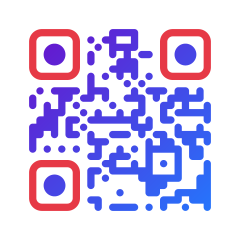
This draws smooth “liquid” modules with a purple-to-blue gradient, a dark blue frame with rounded corners, and the text “SCAN ME” under the code, in an SVG 320 pixels wide.
A logo
With a logo the default error correction becomes H (the highest) so that
the code still scans with its middle covered. href is any URL or data:
URI that an SVG <image> accepts:
import 'dart:io';

import 'package:qrkude/qrkude.dart';

void main() {
  const style = QRKudeStyle(
    modules: QRKudeModules(shape: ModuleShape.fluid),
    eyes: QRKudeEyes(frame: EyeShape.rounded, ball: EyeShape.rounded),
    logo: QRKudeLogo(
      href: 'https://example.com/logo.png',
      size: 0.22, // 22% of the symbol width
      shape: LogoShape.circle,
      background: QRKudeColor.white,
    ),
  );
  final code = encodeForStyle('https://example.com/menu', style);
  print('ECC ${code.ecc.letter}, logo damage ${logoDamage(code, style).toStringAsFixed(2)}');
  // ECC H, logo damage 0.64
  File('logo.svg').writeAsStringSync(toSvg(code, style));
}
Every option, with pictures, is in the style reference: modules, eyes, alignment patterns, colors and gradients, background and border, logo, label, encoding options and SVG options. In short:
| Section | What it controls | Dart class |
|---|---|---|
margin |
quiet zone in modules (default 4) | QRKudeStyle.margin |
modules |
shape, size, roundness, color of the data cells | QRKudeModules |
eyes |
frame and ball shapes and colors of the three corner squares | QRKudeEyes |
alignment |
draw the small alignment squares like eyes | QRKudeAlignment |
background |
canvas color or gradient, corner radius | QRKudeBackground |
border |
a frame around the canvas | QRKudeBorder |
logo |
logo size, clear space, shape, background | QRKudeLogo |
label |
a line of text above or below the code | QRKudeLabel |
Values out of range are clamped when the code is drawn (for example a module size of 2 is drawn as 1), so a style never makes drawing fail.
Output
SVG
toSvg(code, style, options) returns the complete SVG document as a
String; svg(text, document) encodes and writes in one call. The SVG uses
module units in its viewBox and scales without losing sharpness. Its bytes
are identical to what the other QRKude libraries produce for the same input.
SvgOptions has two settings:
width: addswidthandheightattributes in pixels (default: none, so the SVG fills its container).idPrefix: the prefix of the gradient ids. Gradient ids are global in an HTML page, so give each SVG a different prefix when you put several gradient codes inline in one page.
How big to show or print a code depends on the number of modules and on the scanning distance. Two rules of thumb: on screens, give each module at least 3 to 4 physical pixels; in print, make the code at least one tenth of the distance it is scanned from (2 cm wide for 20 cm). Denser codes (longer text, higher ECC) need more. See size in print and on screen.
PNG and other formats
This package does not write bitmaps. For PNG use the Flutter package
qrkude_flutter (QRKudePainter.toPngBytes), or convert the
SVG with any SVG renderer.
Custom renderers
To draw with another graphics API (a PDF library, a canvas, a plotter),
implement QRKudePathSink and call emitLayer for each layer. You get the
same shapes the SVG contains, as move/line/arc/close commands in module
units:
import 'package:qrkude/qrkude.dart';

/// Prints the drawing commands instead of drawing them.
class PrintSink implements QRKudePathSink {
  @override
  void moveTo(double x, double y) => print('move $x $y');

  @override
  void lineTo(double x, double y) => print('line $x $y');

  @override
  void arcTo(double r, bool clockwise, double x, double y, double cx, double cy) =>
      print('arc r=$r to $x $y ${clockwise ? 'clockwise' : 'counter-clockwise'}');

  @override
  void close() => print('close');
}

void main() {
  const style = QRKudeStyle(eyes: QRKudeEyes(ball: EyeShape.circle));
  final code = encode('HELLO');
  final layout = computeLayout(code, style);
  print('canvas ${layout.width} x ${layout.height} modules');
  for (final layer in QRKudeLayer.values) {
    if (!layerVisible(code, style, layer)) continue;
    print('-- $layer, paint ${layerPaint(style, layer)}');
    if (layer == QRKudeLayer.eyeBalls) emitLayer(code, style, layer, PrintSink());
  }
}
Fill each layer’s path with the non-zero winding rule, in the order of
QRKudeLayer.values, then draw the logo image in
layout.logoX/logoY/logoSize and the label at layout.labelX/labelBaseline.
gradientGeometry gives the gradient coordinates for each layer.
Content helpers
A QR code holds text. Phones recognize some text formats and offer an action
(join a Wi-Fi network, add a contact…). QRKudePayload builds these texts
with the right escaping:
import 'package:qrkude/qrkude.dart';

void main() {
  print(QRKudePayload.wifi(ssid: 'Cafe', password: 'secret', auth: 'WPA'));
  // WIFI:T:WPA;S:Cafe;P:secret;;
  print(QRKudePayload.email(to: '[email protected]', subject: 'Hello there'));
  // mailto:[email protected]?subject=Hello%20there
  print(QRKudePayload.sms(number: '+15551234567', message: 'Hi'));
  // SMSTO:+15551234567:Hi
  print(QRKudePayload.tel('+15551234567'));
  // tel:+15551234567
  print(QRKudePayload.geo(40.4168, -3.7038));
  // geo:40.4168,-3.7038
  print(QRKudePayload.vcard(firstName: 'Ana', lastName: 'Lopez', phone: '+34 600 000 000'));
  print(QRKudePayload.event(summary: 'Launch', start: '20261017T100000Z', end: '20261017T120000Z'));

  // Then encode the text as usual.
  final svgText = svg(QRKudePayload.wifi(ssid: 'Cafe', password: 'secret', auth: 'WPA'));
  print(svgText.length);
}| Builder | Phones offer to |
|---|---|
wifi(ssid:, password:, auth:, hidden:) |
join a Wi-Fi network (auth: WPA, WEP, nopass or null) |
email(to:, subject:, body:) |
write an email |
sms(number:, message:) |
send a text message |
tel(number) |
call a number |
geo(latitude, longitude) |
open a map (coordinates are clamped to valid ranges) |
vcard(firstName:, lastName:, organization:, title:, phone:, email:, url:, address:, note:) |
add a contact (vCard 3.0) |
event(summary:, start:, end:, location:, description:) |
add a calendar event (start/end like 20261017T100000Z) |
Empty or null values are left out.
Making sure it scans
Styling can make a code harder to read. lint(code, style) checks for known
problems and returns a list of warnings (empty when everything looks fine).
logoDamage(code, style) tells how much of the error correction a logo uses
up: 0 without a logo, up to 1 it can still be decoded, above 1 it cannot.
import 'package:qrkude/qrkude.dart';

void main() {
  const style = QRKudeStyle(
    modules: QRKudeModules(color: QRKudeSolid(0xBBBBBBFF)),
    logo: QRKudeLogo(size: 0.25),
  );
  final code = encodeForStyle('https://example.com/a-longer-address', style);
  print(lint(code, style)); // [logo-risky, low-contrast]
  print(logoDamage(code, style).toStringAsFixed(2)); // 0.82
}| Warning | Meaning | What to do |
|---|---|---|
logo-risky |
the logo uses 70-100% of the error correction | make the logo smaller (logo.size) |
logo-unreadable |
the logo hides more than can be repaired | make it smaller; keep ECC H |
low-contrast |
modules and background are too similar | darken the modules or lighten the background |
inverted |
light modules on a dark background | some scanners fail; prefer dark on light |
transparent-background |
no background color | make sure what is behind the code is light |
quiet-zone |
margin below 2 modules | use margin: 4 |
small-modules |
module size below 0.6 | use a larger modules.size |
eye-shapes |
a diamond eye frame, or a diamond ball in a square/leaf frame | pick another eye shape |
invisible |
the modules or eyes have no visible color | set a visible color |
Error correction (ECC) adds redundant data so that a damaged or covered
code still scans. There are four levels: L (about 7% can be restored),
M (15%), Q (25%) and H (30%). When you do not set one, QRKude uses M,
or H when the style has a logo, and raises the level for free when the
symbol has room left. Higher levels make the symbol denser. See
error correction,
styling without breaking scanning,
logos and
colors and contrast.
lint is a static check. Always try your final codes with a few real
phones, at the real size (testing your codes,
troubleshooting).
Untrusted styles
Styles often come from users, web forms or databases. The reader and the writer are built for that:
- The gradient id prefix is sanitized (
sanitizeIdPrefix): characters other thanA-Z a-z 0-9 _ -become_, so it cannot inject markup into the SVG. Text (label, font, logohref) is XML-escaped and control characters are dropped. - A number longer than 400 characters, a number that is not finite (such as
1e999) and nesting deeper than 64 objects or arrays are rejected, also under unknown keys. Reading is linear in the input size. - Lengths are clamped:
margin,border.widthandlogo.marginto 0..1000,label.sizeto 0.1..1000, the integer encode options to -1000..1000. - A string ends at its first U+0000 character; unpaired UTF-16 surrogates become U+FFFD.
Errors are reported with three exception types:
| Exception | When |
|---|---|
FormatException |
the JSON is invalid (bad syntax, unknown shape name, bad color, wrong value type, limits above) |
ArgumentError |
encode options out of range (for example minVersion: 0 or maxVersion: 41) |
DataTooLongException (a QRKudeException) |
the text does not fit, even in the largest symbol |
import 'package:qrkude/qrkude.dart';

String? render(String text, String styleJson) {
  try {
    return svg(text, styleJson);
  } on FormatException catch (e) {
    print('invalid style: ${e.message}');
  } on ArgumentError catch (e) {
    print('invalid options: ${e.message}');
  } on DataTooLongException {
    print('text too long for a QR code');
  }
  return null;
}

void main() {
  render('https://example.com', '{"modules": {"shape": "hexagon"}}'); // invalid style
  render('https://example.com', '{"encode": {"maxVersion": 41}}'); // invalid options
  render('x' * 5000, '{}'); // text too long
  print(render('https://example.com', '{"svg": {"idPrefix": "\\"><script>"}}')!.contains('<script'));
  // false
}
API reference
Everything is exported by package:qrkude/qrkude.dart. The dartdoc comments
in the source have the details.
Encoding
| Symbol | Description |
|---|---|
QRCode encode(String text, [EncodeOptions options]) |
Encodes the UTF-8 bytes of text; no ECC given = M. |
QRCode encodeBytes(List<int> data, [EncodeOptions options]) |
Encodes raw bytes (0..255). |
QRCode encodeForStyle(String text, QRKudeStyle style, [EncodeOptions options]) |
Like encode, but no ECC given = H with a logo, else M. |
class QRCode |
An encoded symbol: version, size (modules per side), ecc, mask, mode, bool isDark(int x, int y), List<String> toRows(); equal when the modules are equal. |
EncodeOptions({Ecc? ecc, int minVersion = 1, int maxVersion = 40, int mask = -1, bool boostEcc = true, bool eci = false}) |
Encoder options; copyWith(...), toJson(). |
enum Ecc { low, medium, quartile, high } |
Error correction levels; letter (L/M/Q/H), static Ecc? tryParse(String letter). |
enum EncodeMode { numeric, alphanumeric, byte } |
How the data is stored; bits is the mode indicator. |
class QRKudeException implements Exception |
Base class of QRKude errors; message. |
class DataTooLongException extends QRKudeException |
The data does not fit. |
Documents and JSON
| Symbol | Description |
|---|---|
QRKudeDocument({EncodeOptions encodeOptions, QRKudeStyle style, SvgOptions svgOptions}) |
Encoder options + style + SVG options. |
QRKudeDocument.fromJson(Object json) |
Parses a JSON String or Map (throws FormatException). |
QRKudeDocument.from(Object? value) |
Accepts a document, a style, JSON or null. |
QRKudeDocument.effectiveEncodeOptions |
Encoder options with the default ECC filled in. |
QRCode QRKudeDocument.encodeText(String text) |
Encodes with effectiveEncodeOptions. |
String QRKudeDocument.toSvgString(String text) |
Encodes and writes the SVG. |
QRKudeDocument.copyWith(...), toJson() |
Copy with changes; JSON form. |
String svg(String text, [Object? document]) |
Encodes and writes the SVG in one call. |
Object? paintToJson(QRKudePaint? paint) |
JSON form of a paint. |
Map<String, Object?> styleToJson(QRKudeStyle style) |
JSON form of a style (same as style.toJson()). |
Style
| Symbol | Description |
|---|---|
QRKudeStyle({double margin = 4, QRKudeModules modules, QRKudeEyes eyes, QRKudeAlignment alignment, QRKudeBackground background, QRKudeBorder border, QRKudeLogo? logo, QRKudeLabel? label}) |
A complete style. |
QRKudeStyle.fromJson(Object json), toJson(), copyWith(...) |
JSON in and out; copy with changes. |
QRKudeStyle.defaults |
The default style. |
QRKudeStyle.hasLogo, hasLabel, recommendedEcc |
Whether a logo / label is drawn; H with a logo, else M. |
QRKudeModules({ModuleShape shape = ModuleShape.square, double size = 1, double roundness = 1, QRKudePaint? color = black}) |
Data modules; copyWith(...). |
QRKudeEyes({EyeShape frame = EyeShape.square, EyeShape ball = EyeShape.square, QRKudePaint? frameColor, QRKudePaint? ballColor}) |
The three eyes (null colors = module color); copyWith(...). |
QRKudeAlignment({EyeShape? frame, EyeShape? ball}) |
Alignment patterns (null frame = drawn as modules); copyWith(...). |
QRKudeBackground({QRKudePaint? color = white, double radius = 0}) |
Canvas background (null = transparent); copyWith(...). |
QRKudeBorder({double width = 0, int color = black}) |
Frame around the canvas; copyWith(...). |
QRKudeLogo({String? href, double size = 0.2, double margin = 1, LogoShape shape = LogoShape.square, bool excavate = true, int background = transparent}) |
Logo; copyWith(...). |
QRKudeLabel({required String text, String font = 'sans-serif', double size = 4, int color = black, LabelPosition position = LabelPosition.bottom, bool bold = true}) |
Label; copyWith(...). |
enum ModuleShape { square, dot, rounded, diamond, star, fluid, liquid, bevel, classy, hbars, vbars } |
Module shapes; static ModuleShape? tryParse(String name). |
enum EyeShape { square, rounded, circle, leaf, drop, bevel, diamond, dots } |
Eye shapes; static EyeShape? tryParse(String name). |
enum LogoShape { square, rounded, circle } |
Shape of the cleared logo area; tryParse. |
enum LabelPosition { bottom, top } |
Label position; tryParse. |
Paints and colors
| Symbol | Description |
|---|---|
sealed class QRKudePaint |
A fill; isGradient; factories QRKudePaint.solid(int color), .linear(...), .radial(...), .parse(String color). |
QRKudeSolid(int color) |
A solid color. |
sealed class QRKudeGradient |
Base of the gradients; stops, effectiveStops (the first 8). |
QRKudeLinearGradient({double angle = 0, required List<QRKudeGradientStop> stops}) |
Linear gradient; 0 degrees = left to right, 90 = top to bottom. |
QRKudeRadialGradient({double cx = 0.5, double cy = 0.5, double r = 0.75, required List<QRKudeGradientStop> stops}) |
Radial gradient, relative to the painted area. |
QRKudeGradientStop(double offset, int color) |
A color at a position 0..1. |
QRKudeColor |
Color helpers: black, white, transparent, rgba(r, g, b, [a]), hex(0xRRGGBB), red/green/blue/alpha(color), toArgb(color), parse(String), tryParse(String), toHex(color), toRgbHex(color). |
Output
| Symbol | Description |
|---|---|
String toSvg(QRCode code, QRKudeStyle style, [SvgOptions options]) |
The SVG document. |
SvgOptions({double width = 0, String idPrefix = 'qrk'}) |
SVG settings; toJson(). |
String layerPathData(QRCode code, QRKudeStyle style, QRKudeLayer layer) |
SVG path data of one layer. |
class SvgPathSink implements QRKudePathSink |
Writes SVG path data; SvgPathSink([StringBuffer? out]), out, toString(). |
String formatNumber(double value) |
Number formatting used in the SVG (up to 3 decimals). |
String sanitizeIdPrefix(String? prefix) |
The gradient id prefix as written to the SVG. |
String normalizeString(String s) |
Cuts at U+0000 and replaces unpaired surrogates (JSON string rules). |
String sanitizeText(String s) |
Text as written to the SVG: normalizeString minus control characters. |
Geometry (custom renderers)
| Symbol | Description |
|---|---|
abstract class QRKudePathSink |
Receives moveTo, lineTo, arcTo(r, clockwise, x, y, cx, cy) and close. |
int emitLayer(QRCode code, QRKudeStyle style, QRKudeLayer layer, [QRKudePathSink? sink]) |
Sends a layer’s shapes to the sink; returns the number of sub-paths. |
enum QRKudeLayer { background, border, modules, eyeFrames, eyeBalls, logoBackground } |
Layers in paint order. |
QRKudeLayout computeLayout(QRCode code, QRKudeStyle style) |
Where things go, in modules. |
class QRKudeLayout |
width, height (canvas), symbolX, symbolY (module 0, 0), modules (per side), hasLogo, logoX, logoY, logoSize (square logo box), hasLabel, labelX, labelBaseline, labelFontSize, backgroundRadius. |
class QRKudeGradientGeometry |
Returned by gradientGeometry. |
QRKudePaint? layerPaint(QRKudeStyle style, QRKudeLayer layer) |
The paint of a layer (eye colors resolved). |
bool layerVisible(QRCode code, QRKudeStyle style, QRKudeLayer layer) |
Whether a layer draws anything visible. |
QRKudeGradientGeometry gradientGeometry(QRCode code, QRKudeStyle style, QRKudeLayer layer) |
Gradient coordinates: x1, y1, x2, y2 (linear), cx, cy, r (radial). |
EyeShape ballShape(EyeShape shape) |
The ball shape actually drawn (dots becomes circle). |
Checks
| Symbol | Description |
|---|---|
List<String> lint(QRCode code, QRKudeStyle style) |
Scannability warnings, see Making sure it scans. |
QRKudeLint |
The warning names as constants (logoRisky, logoUnreadable, lowContrast, inverted, transparentBackground, quietZone, smallModules, eyeShapes, invisible) and all. |
double logoDamage(QRCode code, QRKudeStyle style) |
Share of the error correction used by the logo, worst case. |
Payloads
| Symbol | Description |
|---|---|
QRKudePayload.wifi, email, sms, tel, geo, vcard, event |
Text builders, see Content helpers. |
Low-level QR tables
| Symbol | Description |
|---|---|
int eccCodewordsPerBlock(Ecc ecc, int version) |
Error correction codewords per block. |
int numEccBlocks(Ecc ecc, int version) |
Number of error correction blocks. |
int rawCodewords(int version) |
Total codewords of a version. |
List<int> alignmentPositions(int version) |
Alignment pattern centers. |
bool isFunctionModule(int version, int x, int y) |
Whether a module belongs to a fixed pattern. |
const String qrkudeVersion |
This library’s version (0.1.0). |
Platform notes
- SDK: Dart 3.4 or newer. No dependencies, no
dart:io,dart:ffiordart:html, so it runs on the Dart VM, in Flutter and on the web. - Web: the results compiled with dart2js are byte-identical to the VM (the test suite runs on both). Large integers are handled so that JavaScript numbers give the same output. dart2wasm has not been tested.
- Performance: on a desktop computer a typical code (a URL) is encoded and written as SVG in under a millisecond. The largest symbol (version 40, 177x177 modules) takes about 10 ms to encode and up to about 50 ms to write as SVG with connected shapes. Styles with many separate shapes (dots, stars) produce larger SVG files than squares or bars, which merge neighbours.
- Limitations: one encoding mode per code (no mixed-mode optimization), no Kanji mode, no Micro QR and no structured append. The label font is chosen by whatever displays the SVG, so its exact look varies.
- The geometry and the SVG follow the specification exactly.
Development
Inside the QRKude repository:
cd packages/dart
dart pub get
dart analyze
dart test               # Dart VM
dart test -p node       # compiled to JavaScript, needs Node.js on the PATH
dart run example/qrkude_example.dart > qr.svg
The conformance tests compare the output with the shared vectors in
spec/vectors/ byte for byte. Outside the repository they are skipped; set
the QRKUDE_VECTORS environment variable to a copy of spec/vectors to run
them.
License
Apache License 2.0. See LICENSE.
This page is packages/dart/README.md in the QRKude repository.